Miross is on the iPhone. Android is next.
The Miross app is on the App Store: your support queue, Mike, and returns received by scanning the parcel at the warehouse desk. Android follows soon.
Miross now has an iPhone app, and it is on the App Store. It is a native app, built for the phone rather than a website squeezed into one, and it signs in to the same Miross account your team already uses on the web.

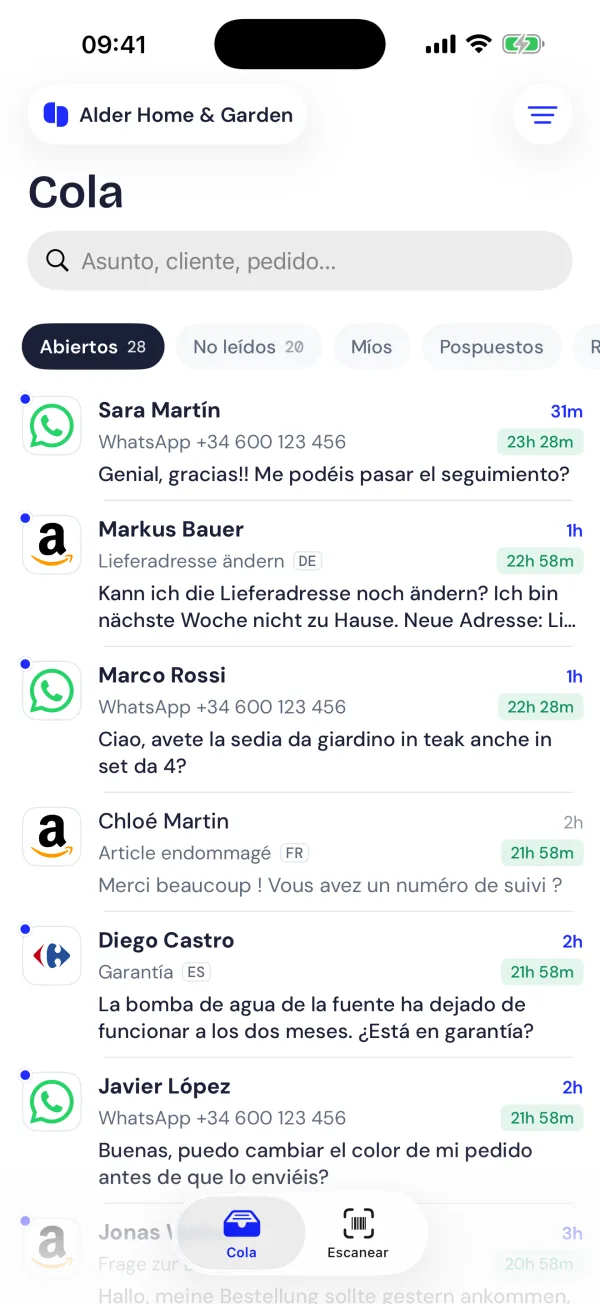
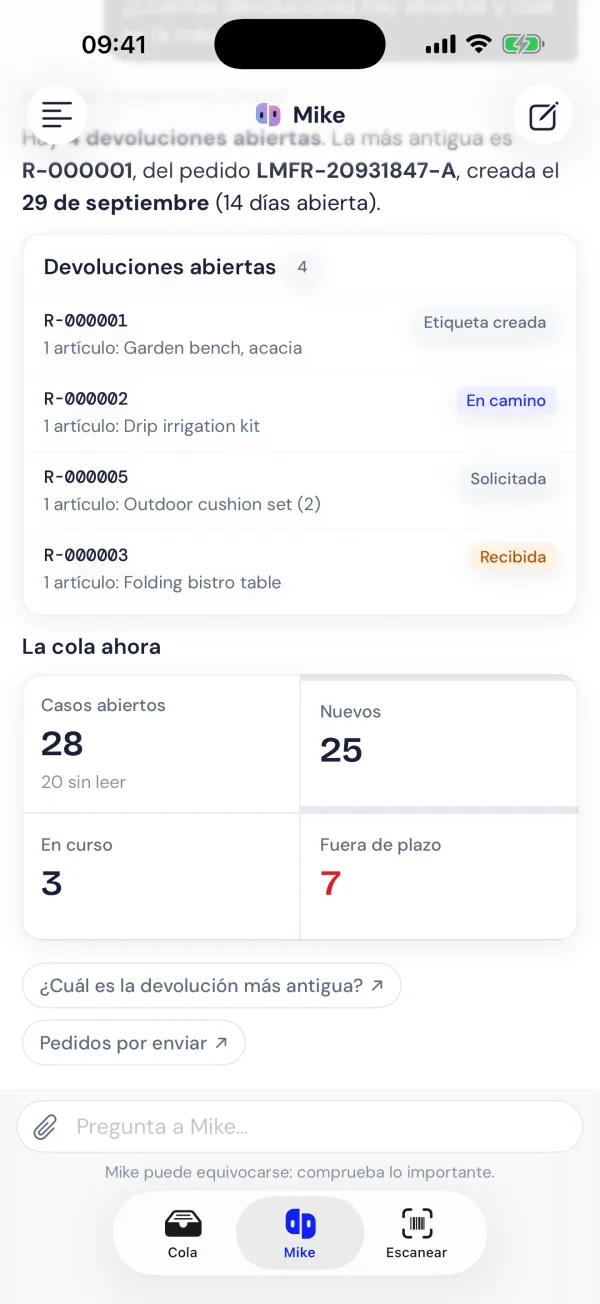
Three tabs, for the three jobs you do away from the desk
The queue. Every open case from every channel, with the response deadline in sight. Filter by channel, status or who has the case, search by customer or order number, and get a notification when a new message comes in. Open a case and you can reply from the phone, with photos and files, reading each message translated into your language and editing the suggested reply before it goes. The order, the shipment and the invoice are one tab away.
Mike. Ask him about your cases, orders, returns and sales, and he finds it and shows it, with charts where a chart says it better. He does the same work as on the web: labels, orders, returns, wherever your workspace has him switched on.
Returns. This is the tab we built for the warehouse.
Returns, received where the parcel is opened
The usual way a return ends is with a parcel on a bench and nobody quite sure whose it is. Someone writes down the order number, walks to a computer, finds the return, and types what came out of the box. Or doesn’t, and the refund waits.
With the app, whoever opens the parcel does the whole thing standing at the bench:
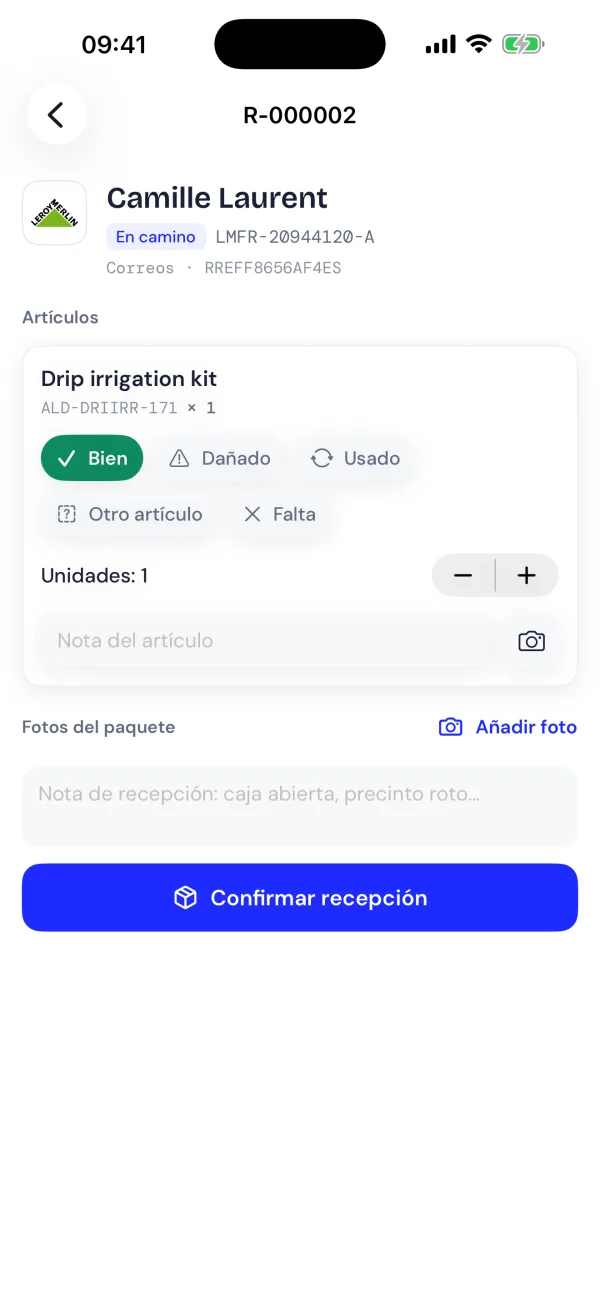
- Scan the barcode on the parcel with the phone’s camera. The return opens: the customer, the channel, the order and what they said they were sending back.
- Mark each item as it comes out of the box: fine, damaged, used, a different item, or missing. Damaged or used gets a photo and a note.
- Tap Confirm reception.
That’s it for the warehouse. The return is marked as received on its order, customer support sees it next to the customer’s conversation straight away, and the refund is one click in Miross, executed on the channel the order came from. Whoever refunds can see what the warehouse found and the photos it took, so nobody refunds a jacket that came back worn.
Who it is for
The person who packs and receives, first: the app turns a phone into the returns desk, with no extra scanner and no computer at the bench. Then whoever answers customers and needs to do it from the train, and the owner who wants to ask Mike how the week went without opening a laptop.
Android is next
The Android app is on its way, with the same three tabs. If your team works on Android, request your invite and tell us; we’ll let you know the day it’s out.
The iPhone app is free to download. It works with your company’s Miross account: accounts are created on the web, and nothing is sold in the app.