Returns management, from the request to your warehouse

The customer asks for a return in your portal and receives a label from your carrier, and you receive the parcel by scanning it with a phone. Each return keeps its reason.

  • A returns portal for your customers
  • Return labels from your carrier
  • Reception by scanning with a phone

Returns

From “I want to return it” to received

A portal for the customer, a label from your carrier, and reception in the warehouse.

R-000412 · Folding bistro chair“It arrived with a bent leg.”

  1. RequestedFrom your returns portal
  2. Label sentFrom GLS, by email
  3. On its wayGLS · 61230049902
  4. ReceivedScanned in the warehouse

What it does

What a return goes through

  • 01

    A portal for your customers

    Customers open a return themselves: the order, the product and why. No emails back and forth.

  • 02

    The label, from your carrier

    The return label is made with your own carrier and sent to the customer. It is the same carrier and the same contract you already ship with.

  • 03

    Reception with a phone

    When the parcel arrives, scan it with your phone and the return is marked as received. Support sees it at once, beside the customer’s conversation.

  • 04

    The reason, kept

    Every return keeps the customer’s reason, so you can see which products come back and why. The reason stays with the order and with the product.

  • 05

    The refund, from the same place

    When the return is received, the refund is made from Miross with one click that a person confirms. It is carried out on the channel the order came from.

  • 06

    Support and stock know about it

    The return shows on its order and beside the customer’s conversation, so whoever answers sees whether the parcel has arrived. Goods received go back to their location in the warehouse.

How it works

The three moments of a return

  1. Return requestedLabel sent · Correos
    1

    The customer asks and gets the label

    They open the return in your portal with the order, the product and the reason. The label from your carrier reaches them at once.

  2. 2

    The warehouse receives it with the app

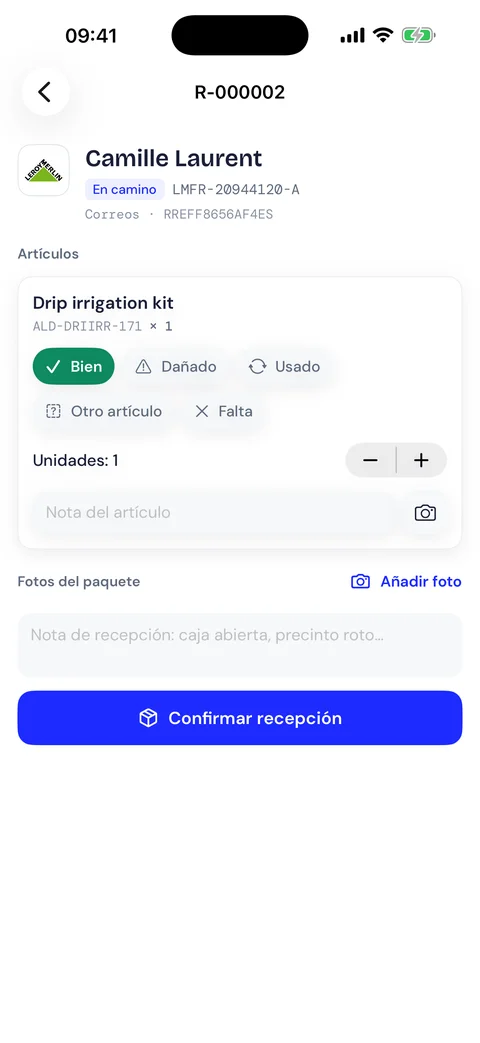
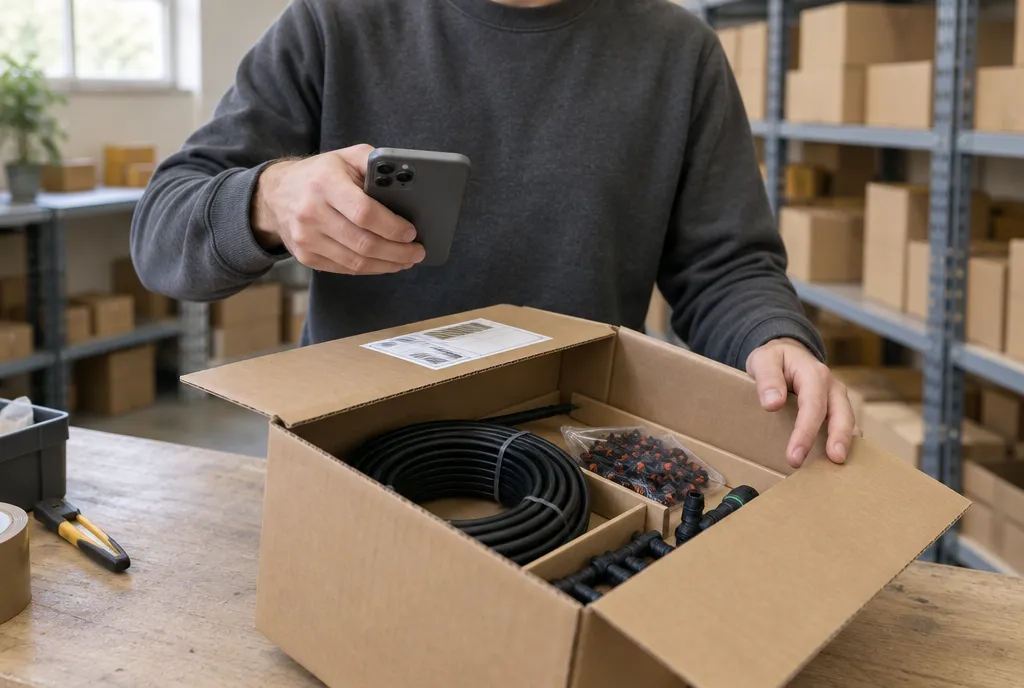
    Scan the parcel with the iPhone, mark how each item arrived, take a photo if needed and confirm. No computer at the bench.

    How the Miross app works
  3. Camille LaurentReturn R-000002 · LMFR-20944120-AReceived
    Drip irrigation kitALD-DRIIRR-171 × 1Fine

    1 photoBox in good shape, seal intact.

    €34.90Refund €34.90
    3

    You refund in one click

    See what the warehouse found and refund from Miross. The refund runs on the channel the order came from.

Returns management for online sellers

Returns are where a shop loses time without noticing. A customer writes to ask how to send something back, someone answers with the conditions, the customer replies with the order number, and someone makes a label on the carrier’s website and emails it. Days later a parcel reaches the warehouse with no note inside, and nobody knows whose it is or whether it has been refunded. Each step is small, and each one is done by hand.

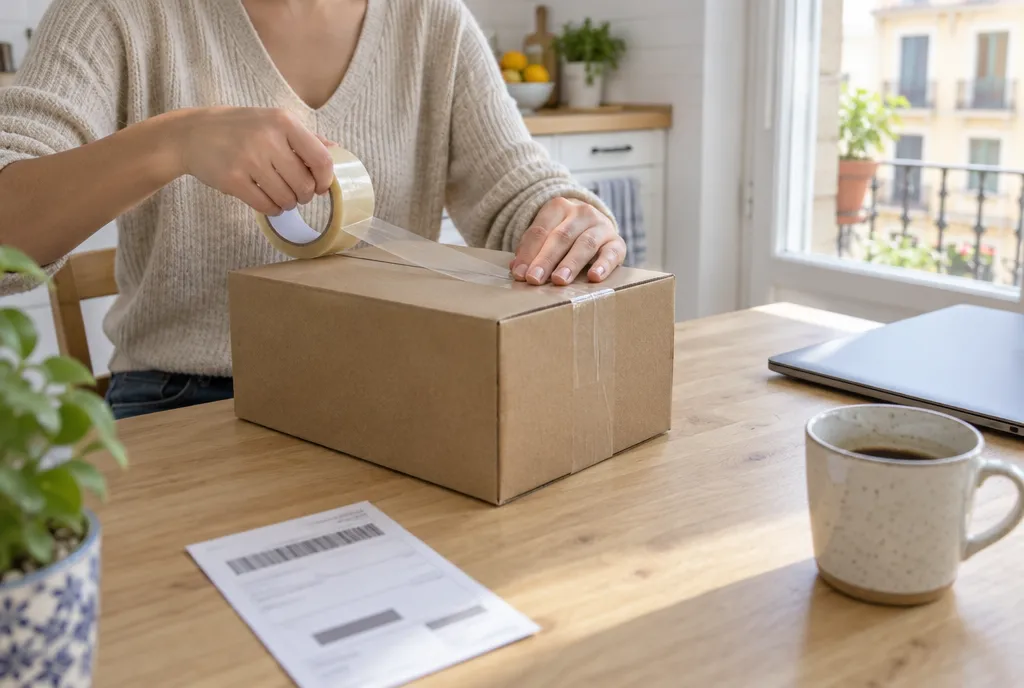
Miross turns that exchange into a flow. Your returns portal lets the customer open the return alone: the order, the product and the reason. The return label is made with one of the carriers you already ship with, on your contract, and sent to the customer. When the parcel arrives, whoever receives it scans the label with a phone and the return is marked as received on its order.

A return belongs to its order, so everything connected to the order knows about it. Support sees the state of the return beside the conversation and can start one from a case, with a click that a person confirms. The refund is made from Miross and carried out on the channel. A credit note takes back the invoice. The warehouse puts the goods back in their location, and the stock is right again.

Day to day, finding out whether a return has arrived or been refunded no longer means searching through emails. The list of returns shows which are on their way, which were received and which were refunded. Because each return keeps its reason, after a few months you see which products come back most and why: a size that runs small, a description that promises too much or packaging that breaks.
)

Who returns management is for

  • A one-person shop on Amazon and two marketplaces

    The portal answers the question of how to return something for you. You receive the request with its reason, the label goes out, and the scan on arrival tells you what to refund.

  • A team selling in five countries

    Customers in each country return with a carrier that works there, on your contracts. Support and the warehouse look at the same return, so neither has to ask the other whether the parcel arrived.

  • A brand with its own Shopify shop and a warehouse

    Returns from the shop and from the marketplaces are received at one bench with a phone. The goods go back to their location, the refund and the credit note follow, and the reasons show which products need attention.

Questions

Common questions

Which plans include returns?

Returns are part of Growth and the plans above it. The pricing page shows what each plan includes.

Does Miross refund the customer?

Yes. The refund is made from the return or from the customer’s conversation, with one click that a person confirms. It is carried out on the channel where the order was placed.

Which carrier makes the return label?

The carriers you have connected for shipping, on your own contracts. The label is sent to the customer as soon as it is made.

Can a return start from a conversation?

Yes. In a case, Miross proposes the return label and a person confirms it. The return is then linked to the order and to the conversation.

How does a returns portal work?

The customer opens your portal, finds the order, chooses the product and gives the reason. The return is created in Miross and the label reaches the customer, with no emails back and forth.

How do I receive a return in the warehouse?

Scan the parcel’s label with your phone when it arrives. The return is marked as received on its order, and whoever handles support sees it at once.

Can I see why my products are returned?

Yes. Every return keeps the reason the customer gave. Over time you see which products come back most and what customers say about them.

Does it work for marketplace orders and for my own shop?

Yes. A return can be opened for any order in the order book, from a marketplace or from your shop. Shop customers use the portal, and a marketplace return usually starts in the conversation with the customer.

Early access

Request your invite.

A few sellers a month, onboarded by hand. Tell us where you sell and we’ll tell you when your cohort opens.

  • Hands-on setup of every connection
  • A say in what gets built next
How many integrations would you connect?

Every marketplace, mailbox and chat counts as one. A rough number is fine.

One email when your cohort opens. No newsletter, no sharing.